On this page
- 01Key takeaways
- 02What should you do first if your website is hacked?
- 03How do you know the site has been hacked?
- 04When is cleaning up enough?
- 05When should you rebuild instead?
- 06Do you have to report a website hack?
- 07How do you stop it happening again?
- 08What should you tell customers?
- 09What does this look like in practice?
- 10Hacked website checklist
- 11Next step
- 12Sources and further reading
- 13Frequently asked questions
Key takeaways
If your website is hacked, contain it first: change all passwords, take the site offline or into maintenance mode if needed, and preserve a copy for investigation. Clean it if the platform is supported and the entry point can be found and closed. Rebuild if the platform is unsupported, the hack keeps returning or nobody can find how it got in.
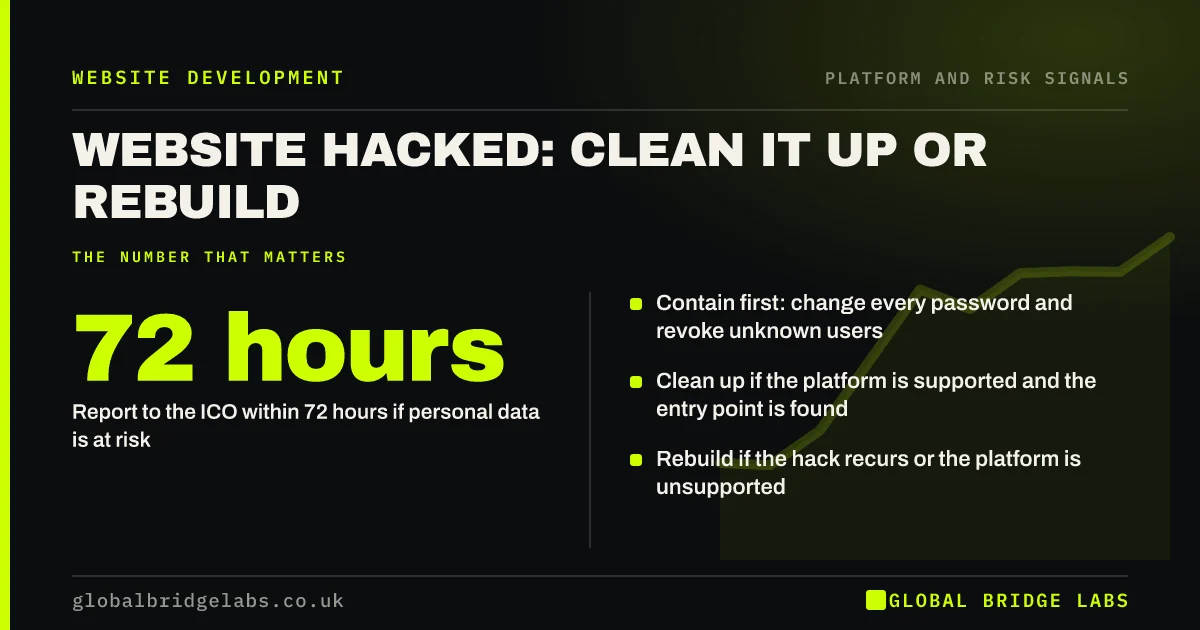
- Contain first: change every password and revoke unknown users.
- Clean up if the platform is supported and the entry point is found.
- Rebuild if the hack recurs or the platform is unsupported.
- Report to the ICO within 72 hours if personal data is at risk.
Website hacked right now? Message us on WhatsApp.
Chat on WhatsApp →What should you do first if your website is hacked?
Contain the damage. Change passwords for hosting, CMS, database, FTP and email, remove unknown admin users, and put the site into maintenance mode if it is serving malware or spam. Keep a copy of the compromised site for investigation. Then work out how the attacker got in before restoring anything.
How do you know the site has been hacked?
Signs include browser or Google warnings, spam pages appearing in search results, unexpected redirects on mobile, unknown admin accounts, and emails from the site that you did not send. Google's web.dev guidance on hacked sites and the Security Issues report in Search Console help confirm it.
When is cleaning up enough?
When the platform, theme and plugins are supported, the entry point is found and closed, and a clean backup from before the hack exists. Restore or clean the files, update everything, harden access with strong passwords and two-factor authentication, and monitor closely for several weeks.
Need help finding how the attacker got in? Ask us on WhatsApp.
Chat on WhatsApp →When should you rebuild instead?
Rebuild when you cannot trust the old code.
- The platform, theme or key plugins are unsupported.
- The hack returns after cleaning.
- Nobody can identify the entry point.
- There is no clean backup from before the compromise.
- The site has been modified so heavily that nobody knows what is original.
Do you have to report a website hack?
If personal data may have been accessed, such as enquiry form submissions or customer accounts, UK GDPR requires you to report the breach to the ICO within 72 hours of becoming aware of it, unless it is unlikely to result in a risk to people. You may also need to tell affected individuals. The ICO's small organisation guidance explains the steps.
How do you stop it happening again?
Keep software updated, use strong unique passwords with two-factor authentication, limit admin accounts, take regular off-site backups and test restores. The NCSC's Cyber Essentials scheme covers these basics and is a useful standard for a small business.
What should you tell customers?
Tell them promptly and plainly if their data may have been affected, what happened, what you are doing and what they should do, such as watching for suspicious emails. If only the website's content was affected, a short notice is usually enough while the site is restored.
Keep a record of the incident, the decisions made and the dates, which the ICO expects for any personal data breach, reported or not. A calm, factual message protects trust far better than silence, especially if customers see browser warnings or spam before you tell them.
- Say what happened in plain words.
- Say what data, if any, may be affected.
- Say what you are doing and what they should do.
- Record the incident and decisions with dates.
What does this look like in practice?
A pattern in UK SMEs: a site on an abandoned theme is cleaned twice by different contractors and hacked again each time, because the vulnerable theme stays in place. Rebuilding on a supported theme, with the same URLs and content, ends the cycle. The cost of the two clean-ups would have covered much of the rebuild.
Hacked website checklist
Follow these steps in order.
- Change every password and remove unknown users.
- Put the site into maintenance mode if it serves malware.
- Keep a copy of the compromised site.
- Assess whether personal data was exposed; report within 72 hours if so.
- Find and close the entry point.
- Clean or rebuild, then harden and monitor.
Next step
If your site has been hacked, we will assess it with you and tell you honestly whether a clean-up will hold or a rebuild is safer.
Message us on WhatsApp now for help with a hacked site, or book a 30-minute consultation.
Chat on WhatsApp →Sources and further reading
- Help, I think I've been hacked · web.dev (Google)
- Advice for small organisations · Information Commissioner's Office
- Cyber Essentials overview · National Cyber Security Centre
Frequently asked questions
What should I do if my business website is hacked?
Change all passwords, remove unknown admin users, put the site into maintenance mode if it is serving malware, and keep a copy for investigation. Assess whether personal data was exposed and report to the ICO within 72 hours if required. Then find the entry point before cleaning or rebuilding.
Should I rebuild my website after a hack?
Rebuild if the platform or key plugins are unsupported, the hack returns after cleaning, the entry point cannot be found, or there is no clean backup. If the platform is supported and the entry point is closed, a thorough clean-up and hardening is usually enough.
Do I need to report a hacked website to the ICO?
If personal data, such as enquiry form submissions or customer accounts, may have been accessed and the breach is likely to pose a risk to people, you must report it to the ICO within 72 hours of becoming aware. You may also need to tell those affected.
How do I know if my website has been hacked?
Look for browser or Google warnings, spam pages in search results, unexpected redirects, unknown admin accounts or emails sent from the site. Check the Security Issues report in Google Search Console and scan the site with a reputable security tool.
Written by

Global Bridge Labs (GBL) is a UK–Sri Lanka partner for social media, websites and BPO. Everything here comes from client delivery, not theory.